SONG TO VIDEO
Song to video: two different needs, two different tools
This search hides two opposite requests. Some people already have footage and want to put a track over it. Others have nothing but an audio file and want it to become something worth watching. The tools are not the same, and picking the wrong family costs you an evening. Here is how to settle it with one question.
TuneSprint builds your release from your track: one full video and 30 short ones, published on YouTube, Instagram and TikTok — one a day, the same one on all three networks. Paid once, per release.
Take my spot among the first 100−30% on your first release
REAL RENDER — AUTO EDIT, CUT ON THE BEAT
The short answer
- Ask yourself first: do I already have footage? If yes, you want an editor. If no, you want a generator. Those are two different markets.
- Laying a song over existing footage is free and near-instant. There is no reason to pay for it.
- Building a video from a song alone is a real problem: you have to decide what to show, and when it changes.
- Either way you end up with one file. Neither answers the volume question — what you post the following week.
Case one: you have footage and want your song on it
This is the most common and the simplest: a filmed clip, studio photos, rehearsal video, and the wish to put the track underneath. Any online editor does this in minutes, usually free, with nothing to install. Drop the video, drop the audio, trim the length, export.
The one technical point that matters is layering: if your footage already carries sound, it has to be muted or ducked, otherwise the two fight each other. And if the footage is shorter than the song, you have to choose which section of the song to keep — a question that comes back later, because it is not trivial.
This case deserves no budget at all. If it is yours, the right answer is a free tool, and this page can honestly stop here for you.
Case two: all you have is the track
Here there is nothing to assemble, something has to be created. And the question stops being technical and becomes editorial: what do we show for three minutes? That is where most people stall — not for lack of a tool, but for lack of an answer.
Three routes exist, in order of effort. An audio-reactive shape over your cover art: instant, often free, but nobody really watches it — it is a container, not content. A lyric video: text appearing in time, which gives a viewer something to read and therefore a reason to stay. And a narrative video: shots, a place, possibly characters.
The trap in the third is continuity. Many tools build each shot independently: the face changes, the outfit changes, the location changes. The result looks good frame by frame and falls apart end to end. It is the most visible flaw and the hardest to fix afterward.
What both families equally ignore
Whichever route you take, you end up with a file. One file. And the day after you post it, the question is wide open again: what do I put out now?
That is the actual difficulty of a release, and neither family addresses it. Editors assume you will come back to do the next edit. Generators assume you will run another generation. Either way, the recurring work stays entirely on you.
For a song being released, the right unit is not the video but the series: several pieces drawn from the same track, opening on different moments, spread over weeks. That is what gives you something to compare, and it is impossible to sustain by hand when each video costs an evening.
The detail that decides everything: where to cut
Whether you edit or generate, you will have to choose which part of the song to use. It is the most underestimated decision in the whole exercise.
The reflex is to take the beginning. That is almost always wrong: the start of a track sets up, it does not hold. A clip opening on the hook or on a break gives an immediate reason to stay, where a fifteen-second intro gets scrolled past before the song even arrives.
The other end matters just as much. A short loops; if it stops mid-word, that seam is heard on every pass. Ending on a musical phrase requires knowing where the phrases are — that is work on the song, not on the picture, and it is what most tools ignore entirely.
Which tool for which need
It all sorts on one question: does the footage already exist?
→ swipe the table
| Your starting point | What you need | Expected cost | What it does not solve |
|---|---|---|---|
| Footage plus a song | An online editor | Free in most cases | Choosing which section to keep |
| A song, no footage, you just need a file | A visualizer | Free, sometimes with a burned-in mark | There is nothing to watch |
| A sung track where the words carry it | A lyric video | Low to moderate | Sloppy timing is immediately visible |
| A song and a release that matters | Narrative generation | High in compute and retries | Character consistency, and volume |
None of these four rows produces a series. Every one of them produces a single piece.
Turning your song into a video, step by step
Applies to both cases.
Choose the section before the tool
Find the moment that grabs fastest. That is what should open, not the first seconds of the file.
Decide the ending
Finish on a sung phrase or a bar line. On a looping video, a cut mid-word is heard continuously.
Fix the format before producing
16:9 for the long version, 9:16 for social. Cropping afterward removes the subject exactly where it got interesting.
Prepare the next ones immediately
While you are still inside the track, mark two or three other usable moments. Far faster than coming back in ten days.
The most common mistakes
Paying for what is free
If you already have footage, laying a song over it justifies no subscription. Budget belongs where there is a real difficulty.
Starting the clip at the start of the song
An intro sets up, it does not hold. The clip should open on the strongest moment, even if it sits in the middle.
Leaving the footage audio in
If the source video already has a track, it fights your song. It is the most common flaw and the fastest one noticed.
Stopping at one video
A single piece gives you nothing to compare. Varying the openings is what teaches you anything.
AND IF YOU'D RATHER NOT DO IT BY HAND
Everything above is the work. TuneSprint does it for you.
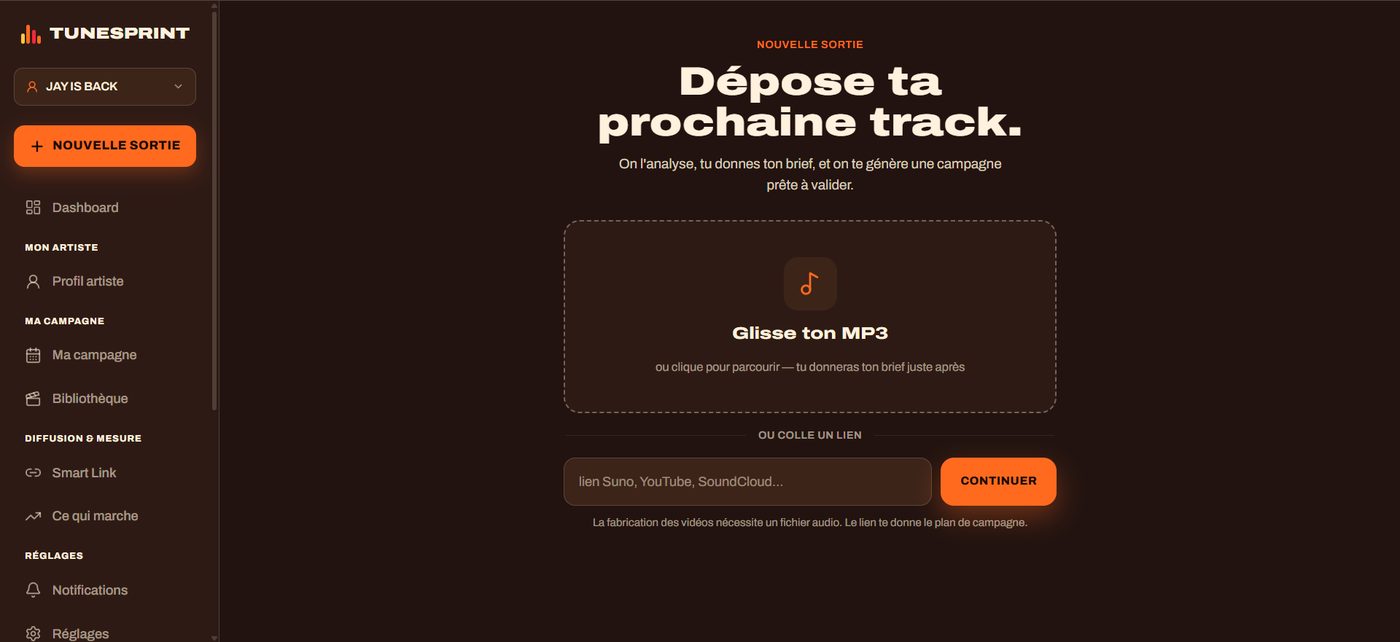
You drop your finished track as MP3 or WAV, with your lyrics. We produce the full video and the 30 short ones, cut to your record, and publish them on YouTube, Instagram and TikTok — one a day, the same one on all three networks. You see every piece before it goes out.
How TuneSprint handles case two
- 01
You drop your track
An MP3 or WAV file and your lyrics. The song is analyzed: tempo, structure, hook, energy peaks.
- 02
You get a full video and 30 shorts
The full video in 16:9, the shorts in 9:16, opening on different strong moments — and closing on a musical phrase.
- 03
Publishing runs on its own
YouTube, Instagram and TikTok, one video a day, the same one on all three networks. You approve, the rest unfolds.
Real renders, not promises
Clips from real TuneSprint campaigns.
Doing it alone, a video maker, or a release studio
TuneSprint
- The videos
- The full spread, synced to your lyrics
- The plan
- Your release calendar, from tease to upkeep
- Publishing
- Automatic, right format, right time
- Measurement
- What hooks, across the whole campaign
- The model
- Paid once, per release
Clip generator
- The videos
- One file, then good luck
- The plan
- None
- Publishing
- Still you
- Measurement
- None
- The model
- Subscription + credits
All by yourself
- The videos
- Weeks of editing
- The plan
- Gut feeling
- Publishing
- Every post by hand
- Measurement
- Scattered stats
- The model
- Your free time
WHAT YOU GET
1 full music video + 30 shorts
- A music video up to 4 minutes, built from your track
- 30 shorts synced to your lyrics, posted on YouTube, TikTok and Instagram
- Never more than one video a day, the same one on all three networks — we grow your account instead of burning it
- Nothing goes out without your approval. One payment, no subscription.
Les 100 premiers — −30 %
€273€390
on your first order, whichever package
Take my spot among the first 100No card today — we are not open yet.
Read next
FAQ
How do I turn a song into a video for free?
If you already have footage, any online editor does it at no cost. If you only have audio, free visualizers produce a usable video file, sometimes with a burned-in mark. Free only becomes limiting when you want something people actually watch, rather than just a file.
What is the difference with an AI music video generator?
An editor assembles what you give it. A generator creates what you do not have. Starting from existing footage, the editor is enough and costs less; starting from an audio file alone, only a generator can help.
Which part of the song should I use?
Rarely the beginning. An intro sets the track up but holds nobody. A clip opening on the hook or on a break almost always performs better, and it is worth choosing before you run anything.
Which audio files does TuneSprint accept?
MP3 and WAV. Importing your own images or footage is not available today.
Does it work with a Suno or Udio track?
Yes. Export your finished song as MP3 or WAV and it is treated like any other audio file. Where it was made changes nothing about how the video is built.
Who owns the videos?
You do, entirely. The music video, the shorts, the visuals: you own them and you can use them commercially, on any platform, without paying us anything afterwards. We take no rights on your music, no percentage of your revenue, and we claim nothing on what the engine builds from your track. TuneSprint is a tool you pay for once, not a label.
Do I approve everything before it goes out?
Yes, and that part is not negotiable. Every piece waits for your approval before it is published. You can remove one, ask for another render, or rewrite a caption. Nothing is posted to your accounts before you have seen it and said yes — not the music video, not a single short.
Is my music used to train an AI?
No. Your audio file does one thing: it lets us analyse your track — tempo, structure, hook, lyrics — to build YOUR release. It feeds no model training, it is not resold, it is not shared. You can ask for it to be deleted whenever you want.
Am I allowed to monetise a video made from an AI track?
That depends on the tool you made the music with and the plan you were on. With Suno for example, the terms differ between the free and the paid tiers — check yours before you publish. On the platform side: YouTube may apply Content ID if your track resembles a registered work, and asks you to disclose AI-generated content; Spotify and the others follow similar rules. We publish what you have the right to publish — the video side is yours without reservation.
One song, a series of videos.
We're opening in small groups to keep quality high. Leave your email: you get in first — and you'll see your campaign plan before paying anything.
Take my spot among the first 100−30% on your first release